

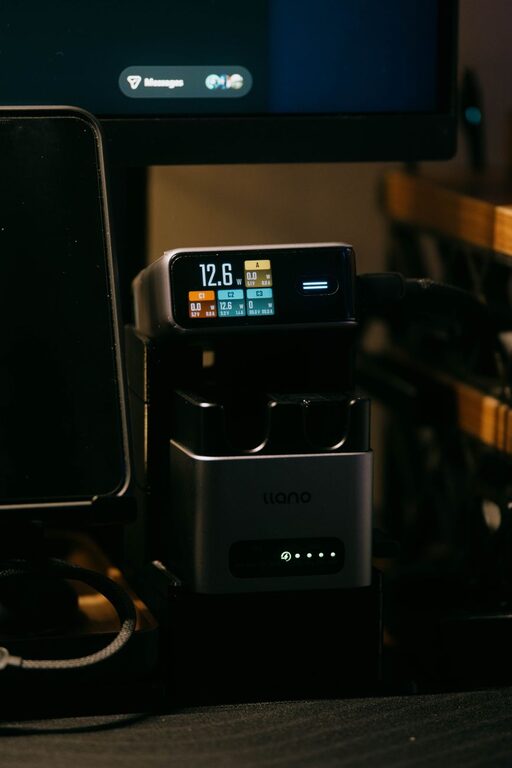
Creating a dedicated charging station for your devices can simplify your daily routine, reduce clutter, and ensure that all your gadgets are ready to use when you need them. Whether you have smartphones, tablets, laptops, or other rechargeable devices, setting up a charging station helps keep everything organized in one central place.
In this guide, we’ll walk you through how to set up an effective charging station at home, covering everything from choosing the right location to selecting the best equipment.
Why Set Up a Charging Station?
Many people charge their devices in different rooms or outlets, leading to tangled cables, misplaced chargers, and wasted time looking for power sources. A charging station:
– Keeps all charging cables and devices together
– Reduces clutter from cords and devices scattered around the house
– Helps monitor device charging status easily
– Can protect devices from power surges with the right equipment
Step 1: Choose the Perfect Location
Selecting the right spot for your charging station is key. Here are some considerations:
– Accessibility: Pick a spot where everyone in the household can easily reach, such as the living room, kitchen counter, or home office.
– Power outlets: Find an area with multiple electrical outlets or power strips to accommodate several devices.
– Ventilation: Keep your charging station in a well-ventilated area to prevent devices from overheating.
– Surface: Use a flat, stable surface like a desk, shelf, or dedicated charging table.
Step 2: Gather the Necessary Equipment
To build a functional charging station, you’ll need a few essential items:
– Charging hub or power strip: Choose a power strip with enough outlets and USB ports to plug in all your devices. Consider surge protection for added safety.
– Charging cables: Collect all the necessary charging cables (USB-C, Lightning, micro-USB) for your devices. Using cables of similar length helps keep things tidy.
– Device holders or stands: These keep devices upright and organized while charging. You can find multi-device charging docks or use small stands.
– Cable management tools: Velcro straps, cable clips, or cable sleeves help keep cords neat and prevent tangling.
– Storage container (optional): A small box or basket can hold chargers and accessories when not in use.
Step 3: Organize Your Charging Station
Organization makes the station practical and visually appealing. Follow these tips:
- **Label cables and ports:** If multiple people use the station, labeling cables or the charging hub ports can avoid confusion.
- **Use cable management:** Bundle excess cable length with Velcro straps and attach cables neatly with clips.
- **Designate device spots:** Assign specific areas or holders for each device type to keep things orderly.
- **Keep it clean:** Wipe the station regularly and remove old or unused cables.
Step 4: Safety Considerations
Charging several devices simultaneously involves electricity, so safety matters:
– Avoid overloading power strips.
– Use certified chargers and cables to prevent electrical hazards.
– Keep the station away from water sources.
– Unplug devices when not in use if the station doesn’t have smart power management.
Step 5: Optional Enhancements
To make your charging station even better, consider these additions:
– Wireless charging pads: For compatible devices, wireless pads reduce cable clutter and simplify charging.
– Smart plugs or timers: Automate power to the station to save energy.
– LED indicators: Some charging hubs have lights that show charging status at a glance.
– Portable power banks: Store an extra power bank at the station for charging devices on the go.
Sample Setup Ideas
Simple Desk Charging Station
– Location: Home office desk
– Equipment: Surge-protected power strip with USB ports, standard cables, a multi-device stand, cable clips
– Features: Keeps work devices charged and ready during the day, cables hidden under the desk
Family Charging Hub
– Location: Kitchen counter or living room console
– Equipment: Large charging dock with multiple USB-C and Lightning ports, wireless charger for phones, labels for each family member
– Features: Easy access for everyone, reduces competing for outlets, maintains device order
Maintenance Tips
– Regularly check cables for wear and replace as needed.
– Update devices’ charging accessories when upgrading gadgets.
– Adjust the station setup if device types or quantities change over time.
Final Thoughts
Setting up a charging station is a simple project that brings order and convenience to your tech life. By choosing the right location, gathering appropriate tools, and organizing cables and devices thoughtfully, you can create a charging station that keeps your gadgets powered and your space clutter-free.
Give it a try, and enjoy a more streamlined way to keep your devices ready for use every day!