

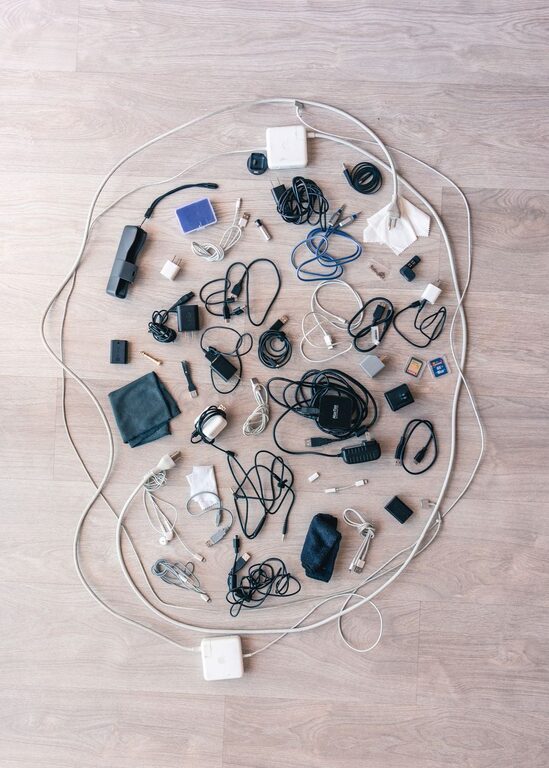
Keeping cables and chargers neat can transform your workspace and living area, making it easier to find what you need and reducing frustration. Whether you have a few essential chargers or a whole collection of cords for different devices, organizing them properly helps maintain order and extends their lifespan.
In this guide, you’ll find practical tips and solutions to organize cables and chargers neatly, using simple tools and everyday materials.
Why Organizing Cables Matters
Before diving into the how-to, it’s important to understand why cable organization is beneficial:
– Prevents damage: Tangled cables can cause breaks and fraying.
– Saves time: Easily identify and access the cable or charger you need.
– Reduces clutter: A tidy area looks better and feels more welcoming.
– Improves safety: Avoids tripping hazards and electrical issues.
Step 1: Gather and Sort Your Cables
Start by collecting all your cables and chargers in one place. This includes USB cords, phone chargers, headphone cables, power strips, and adapters. Then, sort them by type or purpose. Here are some common categories:
– Phone chargers
– Laptop cables
– Audio cables
– Power adapters
– Miscellaneous accessories
Sorting helps you decide what you need to keep, what can be stored separately, and if any cables are broken or outdated.
Step 2: Declutter and Dispose Responsibly
Once sorted, check if any cables are no longer functional or compatible with your devices. Dispose of broken or obsolete cables responsibly by recycling them at electronics recycling centers or programs offered by retailers.
This step reduces clutter and ensures you keep only useful cables.
Step 3: Choose Your Organizing Tools
There are many tools available to help keep cables neat. Some popular options include:
– Cable ties or zip ties: Great for bundling cables together.
– Velcro straps: Reusable and adjustable, perfect for frequent use.
– Cable clips: Stick-on clips to guide cables along surfaces.
– Cord organizers or boxes: Hide power strips and excess cords.
– Drawer dividers or small containers: Keep cables in separate sections.
– Cable sleeves: Encase multiple cords in one neat sleeve.
Choose the products that fit your space and usage patterns.
Step 4: Bundle and Label Your Cables
Bundling
Use cable ties or Velcro straps to bundle cables that go together or are of similar length. Avoid over-tightening to prevent damage. For longer cables, coil them gently in loops to prevent tangling.
Labeling
Label each cable or bundle with small tags or stickers to identify its purpose, device, or length. Labeling helps avoid confusion and speeds up finding the right cable.
You can use pre-made labels, inexpensive adhesive tags, or simply write on masking tape.
Step 5: Storage Ideas for Different Spaces
Desk Organization
– Use cable clips along your desk edges to keep charging cables within reach but out of the way.
– Place a cable management box underneath or behind your desk to contain power strips and surplus cords.
– Use a desk organizer with compartments to hold chargers and adapter plugs.
Drawer Storage
– Use drawer dividers or small boxes to separate grouped cables.
– Coil and tie each cable before placing it in a designated section.
– Keep frequently used cables in the front for easy access.
Travel Storage
– Use a dedicated cable organizer pouch with elastic loops and compartments.
– Keep cables coiled and secured to prevent tangling.
– Choose lightweight, durable organizers to protect your gear on the go.
Wall or Behind Furniture
– Use adhesive cable clips to route wires along walls or the backside of furniture.
– Create a cable runway to prevent cords from dangling loosely.
– Secure power strips to the back of your desk or cabinet.
Step 6: Maintain Your Organization
To keep cables neat over time:
– Set a routine to check and reorganize monthly or quarterly.
– Return cables to their designated spots after use.
– Label any new cables immediately when added to your collection.
– Replace worn-out ties or organizers as needed.
Bonus Tips for Cable Care
– Avoid sharp bends or tight knots to extend cable life.
– Store chargers and cables away from heat or moisture.
– Use surge protectors to safeguard devices.
– When coiling cables, use the natural curve to reduce stress.
—
With these steps and tips, organizing your cables and chargers will become an easier and more satisfying task. A neat setup not only keeps your space looking great but also makes your digital life more efficient and hassle-free. Try out what fits your lifestyle and enjoy the benefits of a clutter-free area!